Self-serve ad network · For advertisers

Advertising made EZ.

Buy from billions of daily ad requests worldwide. Target or block millions of domains. Control every bid, placement and SubID from one dashboard, starting at $100.

7 ad formats·200+ GEOs·Real-time reporting·Live chat support
Min. deposit
$100
Total budget from
$50
Daily cap from
$10 ↗
Scale

Global reach, down to the domain.

Real-time bidding access to inventory from publishers, feeds and apps worldwide. Check available volume per GEO and format on the Inventory page before you spend.

Daily ad requests
Billions ↗
of ad requests every day, across 200+ GEOs and 7 ad formats.
Domains
Millions
of domains you can target, whitelist or block with domain, app and IP lists.
200+
GEOs, with country, OS, browser and device targeting
7
Ad formats in one self-serve account
RTB
Real-time bidding on every impression
API
Campaign and reporting API for your own BI
Control and transparency

See where every dollar goes.

Reporting down to the publisher, feed and SubID. Every placement is visible, and every placement can be bid up, capped or blocked.

01
Inventory analysis
Check available traffic by GEO, format and device before you launch.
Inventory Analysis guide →
02
Domain targeting
Upload domain lists to target or block specific sites at campaign level.
Domain targeting guide →
03
SubID control
See every placement your campaign ran on. Blacklist or whitelist in one click.
Blacklist / whitelist SubIDs →
04
Reports breakdown
Break down spend, clicks and conversions by campaign, publisher, date and SubID.
Advertiser Reports guide →
05
Campaign status
Track approval, delivery and budget for every campaign in one list.
Campaign approval guide →
Ad formats

One account. Every format.

Choose Mainstream, Adult or Both per campaign. Check live volumes on the Inventory page in Metrics before you launch.
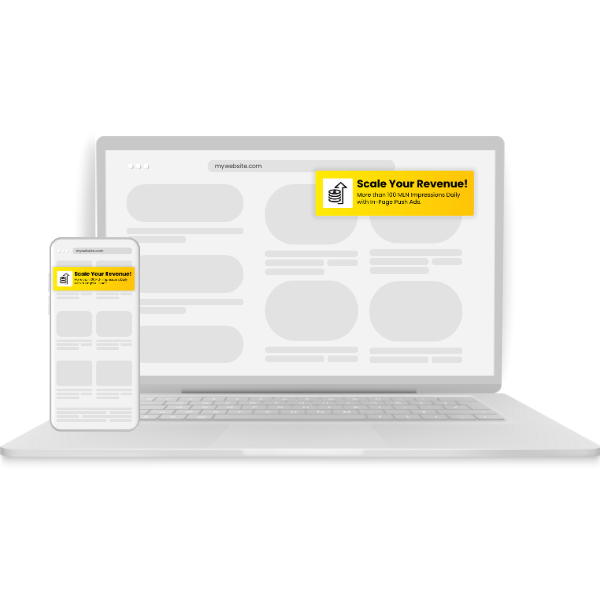
Push & In-Page Push

Push & In-Page Push

01

Reach opted-in subscribers on desktop and mobile, or show push-style ads inside the page on every browser and OS.
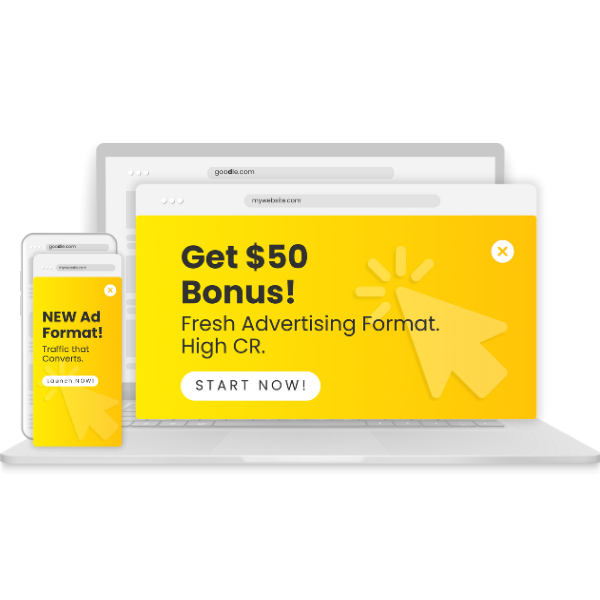
Pop

Pop

02

Full-page popunder traffic for high volume and fast testing.
Banner

Banner

03

Display placements across publisher sites in standard sizes.
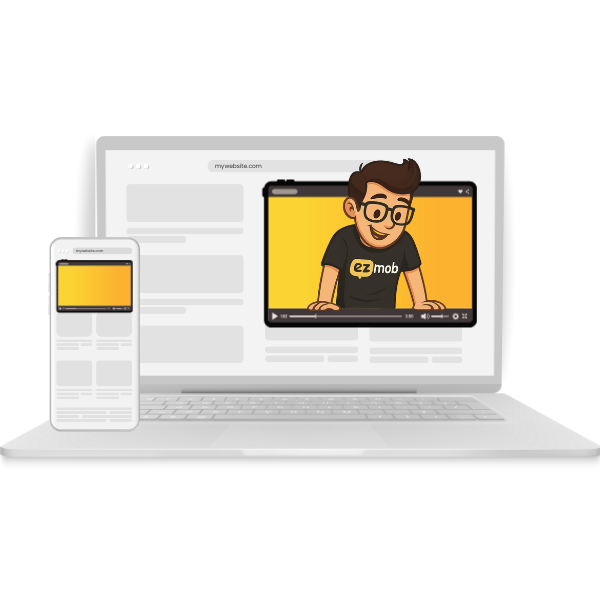
Video

Video

04

Video inventory for brand and performance campaigns.
Direct Click

Direct Click

05

Users land straight on your offer, with no creative in between.

Keyword

Keyword

06

Target users by search intent with keyword-based campaigns.

Start small
Campaigns from $50 total and $10 a day.
Minimum bids depend on format and country tier.
How it works

Launch. Optimize. Scale.

01

Register

Sign up, choose the Advertiser role and verify your email.

Account setup guide →
02

Add funds

Top up by card, PayPal, crypto, Paxum, Payoneer, Capitalist or wire. Most methods start at $100.

Funding options →
03

Create a campaign

Pick a format, set GEO and device targeting, bid and budget, and upload creatives.

Campaign creation guide →
04

Track and optimize

Connect your postback, then refine bids and SubIDs based on real conversions.

Optimization guide →
Optimization

Cut what doesn’t convert. Bid up on what does.

Adjust bids per country, OS, browser and SubID. Block or whitelist SubIDs, and use IP and domain lists to control where your ads run.

1,000–5,000
Clicks we recommend each SubID collects before you blacklist it.
Read the full Optimization Guide →
01
Check your win rate
At 0% your bid is too low. Near 100% with caps reached, try lowering it to buy more inventory within budget.
02
Review scheduling
Use daily and hourly reports to find when you convert, then adjust your schedule.
03
Adjust feed bids
Change bids for specific publisher feeds instead of lowering your bid everywhere.
04
Blacklist SubIDs
Remove placements that underperform once they have enough data.
05
Whitelist winners
Duplicate the campaign, keep only top placements and raise the bid to win more of them.
06
Turn on automatic bidding
Real-time bid adjustments in TQ & Analytics, once you have enough impressions and conversions.
Conversion tracking

Report every conversion back in one URL.

Generate your postback in Postbacks, fire it on your thank-you or payment page, and confirm results in Metrics. Conversion data powers automatic bidding.

S2S PostbackEZmob PixelAppsFlyerGoogle Analytics3rd Party Tags
Postback setup guide →
// 1. Your EZmob postback URL
https://xml.ezmob.com/conversion?c={click_id}&value={value}
// 2. Pass the click ID in your tracking link
https://somedomain.com?offerid=22321&click_id={conversion}
// 3. Optional custom parameters
&custom_param={custom_value}
Your setup

Run it yourself. Or hand it to us.

Self-serve
Full control in EZdash.

Create campaigns, set targeting, bids and schedules, and read reports in real time. Go to Campaigns → Create Campaign.

Managed
Our team runs your campaigns.

Tell us your campaigns and KPI goals. We handle targeting, creatives, bids and SubIDs. You review metrics and request a pause or resume from your dashboard.

Campaign API
Automate at scale.

Create and edit campaigns, update creatives, and sync IP, IFA, domain and app lists. Export reporting data to your own database or BI.

Funds

Pay the way you already do.

$100 minimum for most methods. Wire transfer starts at $500 and USDT ERC20 at $300. Add budget whenever you need it.

How to fund your account →
Credit Card$100
PayPal$100
Paxum$100
Payoneer$100
Capitalist$100
Crypto (USDT ERC20)$300
Wire Transfer$500
From the helpdesk

Questions advertisers ask first.

$100 for most payment methods. Wire transfer is $500 and USDT ERC20 is $300. You can run test campaigns and add budget as you like.

Full answer in the helpdesk →

Your audience is out there. Reach them.

Register as an advertiser, verify your email, add $100 and launch your first campaign today.